Posts

Revolutionize Your Salesforce with Coefficient's Mass Updates
Image
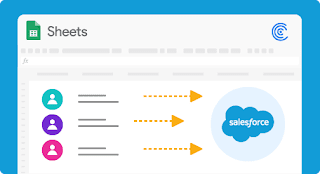
Salesforce is an incredibly powerful tool for managing customer relationships, but updating records can be time-consuming and tedious. Coefficient's mass updates for Salesforce streamline the process, making it quick and easy to update multiple records at once. Keep reading to learn more about how Coefficient's mass updates can revolutionize your Salesforce experience. Save Time: With Coefficient's mass updates, you can save time by updating multiple records at once. This feature eliminates the need to update records one by one, freeing up valuable time for other important tasks. Reduce Errors: Updating records one by one increases the risk of errors. Coefficient's mass updates reduce the chance of errors by allowing you to update multiple records simultaneously. This feature ensures that all records are updated accurately and efficiently. Customizable Updates: Coefficient's mass updates are customizable, allowing you to tailor your updates to your specific needs. Y...
Metric Dashboard Salesforce for Coefficient: Upgrade Your Toolset Instantly

Image
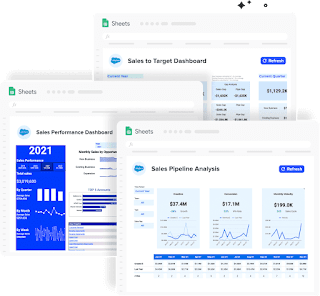
Managing sales performance can be a daunting task, especially when there are numerous metrics and data points to keep track of. Fortunately, Salesforce provides a powerful platform for managing sales data and generating actionable insights. However, even with Salesforce, it can be challenging to stay on top of all the data points without a reliable dashboard. This is where Metric Dashboard Salesforce for Coefficient comes in. Comprehensive Starter Package The Metric Dashboard Salesforce for Coefficient provides a free starter package that includes all of the core charts, metrics, and filters necessary to monitor sales performance.  This comprehensive package is an excellent starting point for businesses looking to upgrade their sales toolset.  Monitor Performance The dashboard allows users to monitor key performance indicators (KPIs) such as revenue, sales growth, and lead generation. This data can be viewed in real-time, making it easier for sales managers to track their tea...

Google-Salesforce Integration: Boosting Your Business Efficiency

Image
Google and Salesforce are two of the most powerful business tools today. By integrating the two, businesses can unlock a wealth of benefits that can help them increase their efficiency and drive growth. • One key advantage of the Google-Salesforce integration is using Google's machine learning technology to analyze and interpret sales data. With Salesforce's robust reporting and analytics tools, businesses can use machine learning algorithms to gain insights into customer behavior, identify trends, and make more informed business decisions. By analyzing the relationship between different variables, such as customer behavior and sales performance, coefficient analysis can help businesses better understand their sales data and drive better results. • Another benefit of the Google-Salesforce integration is the ability to streamline team communication and collaboration. With tools like Google Docs, Sheets, and Slides, teams can easily share and collaborate on documents, presentati...

Achieve Marketing Goals with MailChimp Google Sheets Integration

Image
There are a wide variety of marketing tools, but email marketing is the best. Which is not only simpler but has existed for ages and has good results. To make this more effective MailChimp has come into the picture. With MailChimp Google sheets integration , businesses can efficiently manage marketing campaigns. Here are the top three advantages of using Mailchimp  Easy to Use Interface – Mailchimp interface is well-designed and super easy to use. It provides users with the best experience.  Customization – MailChimp supports customization. You can easily customize your email campaigns according to your unique requirements.  Free Limit – MailChimp offers users a free plan for less than two thousand email subscribers. Initially, you may use the basic plan, but when your business grows, you can switch to the premium ones.  How To Use MailChimp for Marketing Campaigns –  Use it to create announcement mail and send it to your customer list. You can use MailChimp to...

Integrating Looker to Google Sheets: Combining Data Analysis and Collaboration

Image
Looker is a business intelligence platform that allows users to analyze and explore data from various sources, such as databases and data warehouses. Google Sheets, on the other hand, is a cloud-based spreadsheet program that allows users to create, edit, and collaborate on spreadsheets. When it comes to integrating Looker to Google Sheets , there are a few different ways to do so. One common approach is to use Looker's built-in export feature to export data from Looker and import it into Google Sheets. This is done by selecting the data you want to export and then choosing the "Export" option in Looker. Next, import the exported data into Google Sheets using the "Import" option. Another approach is to use a third-party connector or integration to link Looker and Google Sheets. For example, you can use a service like Coefficient to create a "zap" that automatically exports data from Looker and regularly imports it into Google Sheets. This can save time...

Enlist the Two Major Types of Google Sheet Salesforce Connectors

Image
Salesforce offers a bundle of data you can use for your sales and marketing operations. But there is more, it is not only always easy to make the most of your Salesforce data from the platform alone. Moreover, it offers you many data configuration options that allow you to analyze and generate reports to gain valuable insights. However, if you want to use salesforce data more effectively, you need a  Google Sheet salesforce connector  to build a link between Salesforce and Google Sheets. Here are the two main salesforce connectors: Types of Google Sheets salesforce connectors: Coefficient:  It lets you create, read, update and delete data in Salesforce from Google Sheets by providing a clean and simple interface. Moreover, it allows you to set up automated notifications when your data changes. As a result, you can integrate with many applications using this add-on. In addition, it allows you to retrieve consistent and useful feature updates. Data connector for Salesfo...

Comprehend Essential Things about Google Sheets Pivot Tables

Image
Dealing with a large quantity of data in a simple spreadsheet is not an easy task. To overcome this challenge, there’s a need for creative and robust solutions. That’s where Google Sheets pivot tables come into the picture. Read the information shared below to know what exactly they are, why they’re used, and how they can make you more efficient. What are Pivot Tables? The pivot table provides a summary of data for efficient data analysis. It helps in finding patterns and reorganizing information. How to Create and Edit Pivot Tables? You can create pivot tables manually or add them based on suggestions in Google Sheets. When you click on the Google Sheets Menu, there you select Data and then click pivot table. Then you have to choose whether you want to insert the pivot table in a new sheet or within the existing sheet. What are the Benefits of Using Pivot Tables? Pivot tables are of immense help when it comes to organizing large sets of data. They allow you to gain a picture of what’...

Boost Sales Performance with Sales KPI Dashboard in Google Sheets

Image
  To track sales performance, there are unlimited sales management and CRM tools available that provide built-in dashboards. But to get more customized and effective results, a  sales KPI dashboard  in Google Sheets   is a great choice. The visual results that are generated through these dashboards provide tremendous help in making growth-driven decisions. Read this blog to know more precisely what the sales dashboard is, what it includes, and why you should build one with Google Sheets. What is a Sales Dashboard? The sales dashboard visually represents all the significant and recent performance metrics of your business. It’s an interesting sales tech that includes factual graphs, actionable metrics, and a snappy review of your business’s performance. Choose to Build a Sales Dashboard using Google Sheets Google sheets offer a variety of functions, making itself the best choice for building highly versatile sales dashboards. It provides you customization fac...

Learn the Impressive Elements of Revenue Operations Software

Image
Revenue operations is a team, project, and structure responsible for aligning a company’s marketing, sales, customer service, executive functions, and other revenue-generating operations. What is Revenue Operation Software? Revenue operation software is a tool designed to deliver insights or optimize your revenue organization .  Before you choose a revenue operations software , you need to know about the elements of revenue operation: Strategy:  This plan aligns with your structured revenue objectives and mobilizes your revenue organization. Data: It  refers to the data required to manage and optimize your revenue cycle. In addition, data is needed to manage and optimize end-to-end revenue processes. Workflows: These  are the manual and automated processes necessary for creating an interconnected revenue process. Process: It  includes your management, design, and end-to-end revenue process tracking. Technology:  This includes the apps, softwa...

What is Exponential Smoothing and its Types? – Expert Guide

Image
When examining data from particular time periods, exponential smoothing prioritizes the more recent data while downplaying the significance of the earlier data. With the use of this technique, patterns and trends are easily seen in "smoothed data," or data that had the noise eliminated. Three Different Approaches to Exponential Smoothing Simple, double, and triple exponential smoothing are the three different forms of exponential smoothing models. For time-series data without a seasonal pattern or trend, a single or simple exponential smoothing is utilized. It needs a solitary smoothing parameter that regulates the amount that historical observations (coefficient value lies between 0 and 1) influence the model. Smaller numbers in this technique specify that majority of the history is considered when making predictions, while values near 1 indicate that the model gives little regard to previous observations. For time-series data with a trend but no seasonality, double...

In Order to be Successful in Business Choose Sales Tracking Spreadsheet

Image
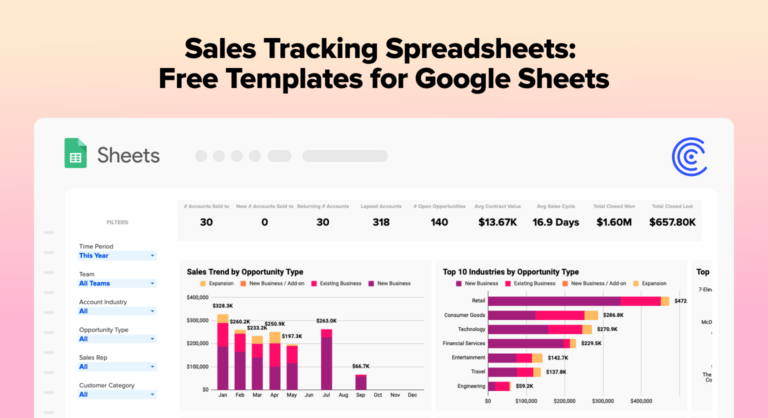
Choosing business field means taking risk and doing a lot of hard work. The sales tracking spreadsheets will enhance the efficiency, reduce costs, and generate high profits. If you are already in the business, then you must apply the online sales tracking spreadsheets to make work operations smooth. What is sales tracking spreadsheet? It is an automated tool that focuses on the insights and analysis of the business. You can focus on the analysis and speed up the workflows in your business. What are the benefits of using sales tracking spreadsheets? Give you update and precise information about the data and transaction log You can convert the opportunities to sales with the best automated tool Your company can have a good track with the sales tracking spreadsheet tool Make the manageable customer relations, sales opportunities to change your market focus You will get valuable insights that can help determine the sales business information  No time and money will be spent on the sal...

Read this Expert Guide on VLOOKUP on Google Sheets

Image
The VLOOKUP Function searches for a value in the leftmost column and returns a corresponding value from a different column. In this post, we will walk you through  VLOOKUP on Google sheets   and its syntax.  5 Things to Know About Google Sheets VLOOKUP As you already know, the VLOOKUP function in Google Sheets has nuances. However, recognizing these five facts keeps you out of trouble and helps you prevent the most common Vlookup errors. VLOOKUP on Google sheets  cannot look to its left; it always explores in the range's first (leftmost) column. To do a left Vlookup, Google Sheets Index Match formula is used. Vlookup in Google Sheets  is insensitive to cases, meaning it fails to distinguish uppercase and lowercase characters. For case-sensitive lookups, work with this formula. If VLOOKUP shows incorrect results, place the is_sorted argument to FALSE to show exact matches. When is_sorted is set to TRUE, remember to sort the first range column in ascen...

Keep your Data Secure by Integrating Zendesk into Google Sheets

Image
Data plays an important role in the growth of the business. As a business owner, you will analyze the yearly and monthly data so that you can make changes in the business. That is why many businesses choose Zendesk to Google Sheets integration . An automated platform secures the business data so the team members can focus on the main tasks.  Here are the benefits of choosing Zendesk over google sheets:  Save your data An automated platform saves all your data so that you can perform better in an organization. The team members can focus on the tedious tasks which help in business growth. This is a fantastic solution, and it manages the workflow in minutes.  Connect security with other applications When you choose an automated platform, you can easily connect with other applications. It is a tremendously best tool that has sped the workflow. With the help of the Coefficient platform, you can manage the work.  End-to-end encryption  The Coefficient is the best inte...

Streamline the Work Operations with Export Data from PostgreSQL

Image
Many businesses put their efforts into maintaining the data and streamlining the work operations. Manually it is not possible; that is why they consider an automated tool. The sales operations managers feel difficulty in exporting data from PostgreSQL , and this is why they choose full automation with Coefficient.  When you choose the Coefficient platform, the process will not take time; you can easily execute the code, download CSV files, and manually copy and paste the data into spreadsheets.  Why should you export data from PostgreSQL?  Firstly, PostgreSQL enriches the sales data that SalesOps managers rely on every day. You will get the important sales and customer metrics that have already been transformed by SQL. Also, you will have time to augment the data to enrich the sales.  Why export CSV files from PostgreSQL? The sales operation managers know that extracting data from PostgreSQL is a challenging task. For starters, many business users do not kn...

Three Effective Benefits of API Integration Tools | Coefficient

Image
In business, API integration tools are essential in facilitating communication between one or two software applications. When you choose the API integration tools , the seamless connectivity allows your organizations to automate the business work, enhance the sharing load and embed the data between various applications systems. Also, in the business, you will sync leads between marketing automation systems such as Marketo with your CRM such as salesforce.  Here are The Three Benefits of Why an API Integration Platform Is Ideal for Your Enterprises:  1.   Quick and Easily Create New API  With just a few clicks of buttons, you can create API integration and save your time and money. Also, leverage the technology investments because manual data handling is a time-consuming and difficult task.  Reach out to Coefficient Platform and get access to the  API integration tools . Technology has progressed effectively as new technologies grow and enhance the business ...

Sales Dashboard is more than a Tool for your Business

Image
For any business, sales objectives play an essential role. The automated sales dashboard tool increases the volume as well as the efficiency of sales. This means manual sales bring difficulty in tracking the real performance, but with the help of a sales dashboard tool, you can perform quick decision-making and make it easy to understand. That is where a simple solution called a sales dashboard is. This blog will give you a better understanding of the data elements that can be reported in a sales dashboard. What is a Sales Dashboard in the Business? A sales dashboard is an interactive and impeccable digital tool that visualizes the essential performance metrics in the sales department. For example: if you want the sales report of previous data, you just need to give the command, and you will get sales data for your business in a click. Sales dashboard template Sales managers must give a perfect idea of how their department is performing. Depending on the objectives, there ar...

Why do you Need Google Sheets + Hubspot Integration?

Image
People work for the organization's sales and marketing for favorable outcomes. That is why the team members prefer Hubspot to Google sheets . With an automated tool, a company can maintain data consistency across the departments and ensure that every team member should be on the same page.  In this blog, you will get in-depth information about the integration of google sheets and Hubspot integration: Easy-to-use integration platform  Easily non-tech users enjoy the integration platform  Increase autonomy and collaboration between internal and external stakeholders No code and visual design    Return of investment workflows    Innovate and develop new products with data-driven insights Scaleup the active workflows for a business outcome Bring flow to your business process with the best ROI-oriented workflows  Build complex flows for your business    You can build the complex flow of your business ...

Boost Your Productivity with the best Google Sheet Add-ons

Image
If you are still creating reports manually in spreadsheets, then you must have to prepare your organization for the Google sheets add-ons . Google sheets eliminate the tough tasks; you can focus on the critical parts of your data analysis processes and even transform the way you handle and report information. In this blog, we will cover some information about the Google sheet add-on in an organization. What are Add-ons for Google Sheets? Google sheet add-ons give accuracy to your work. For instance, if you have to create tables for large volumes of data, the Google sheets add-ons are the best option to take your tasks to another level. Are Google Sheets Add-ons Free? Google sheets add-on can be free or paid, depending on what type of service you need. In addition, some developers get free and premium versions of the add-ons, which totally depends on the purposes and processes. What are the best Google Sheets Add-Ons? 1.      Coefficient 2.   ...

Automate the Workflow with Google Sheets add On in the Enterprise

Image
  Are you looking to manage your workflows better? Google sheets addons will help you to streamline your business processes. Many businesses want to manage workflow optimization; that is why they prefer google addons because they will help you reduce operating costs, improve work efficiency, add new functions to an existing workflow, and many more. The automated system has solved all your process hiccups. However, you may end up getting the same bad results and start focusing on the tasks which bring benefits to your organization. Here are the benefits of choosing google sheets addons. Quickly create reports in google sheets and make your life simpler. Easily you can choose columns and apply filers in the reports according to business preferences You can refresh the reports quickly instead of running multiple reports and copying and pasting data. Rapidly you can share reports with your team members Make your work operations smoother by easily...

Things to Know before Using SUMIFS function in Google Sheets

Image
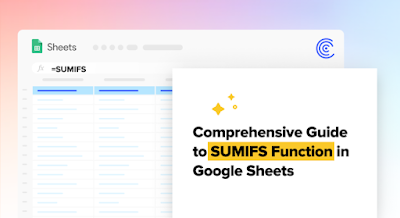
SUMIFS function in Google sheets can add up cells based on two or more conditions. Moreover, SUMIFS Google sheets function only adds the value of the cells when all conditions are met.  Here are some features and guidelines of using SUMIFS in Google sheets. Features of SUMIFS function: The SUMIFS function can only add those cells that meet all conditions such as all the specified criteria is true for a cell. This is commonly referred to as AND logic. The sum range and other criteria ranges should be in equal size i.e., have the same number of rows and columns. Guidelines for using SUMIFS function in Google sheets  It only adds the cell values that meet all the defined criteria, which is similar to the logical operator AND in programming language. It is necessary to highlight dates, text and wildcard characters in quotation marks. Criteria range must not exceed the sum range, or the SUMIFS formula will result in value error. Moreover, make sure to insert logical operators in d...